FortiGate SSL Inspection: What to Decrypt, What to Bypass, and How to Audit It
Full SSL inspection on FortiGate breaks more than it secures if you skip the exemption design. This Q&A covers cert distribution, CA pinning failures, regulated-traffic bypasses, and a baseline policy pattern that survives an audit.
FortiGate SSL Inspection: What to Decrypt, What to Bypass, and How to Audit It
Full SSL deep inspection is one of the highest-leverage controls a firewall admin can enable. It is also one of the most common sources of self-inflicted outages. The questions below cover the decisions that matter before you push a policy to production.
Q1: What is the actual difference between certificate inspection and full SSL deep inspection on FortiGate?
Certificate inspection (sometimes called "certificate SNI inspection" in FortiOS) terminates nothing. The FortiGate reads the TLS handshake, checks the server certificate's CN and SAN fields, and applies URL filtering and application control based on that metadata. The payload stays encrypted end-to-end.
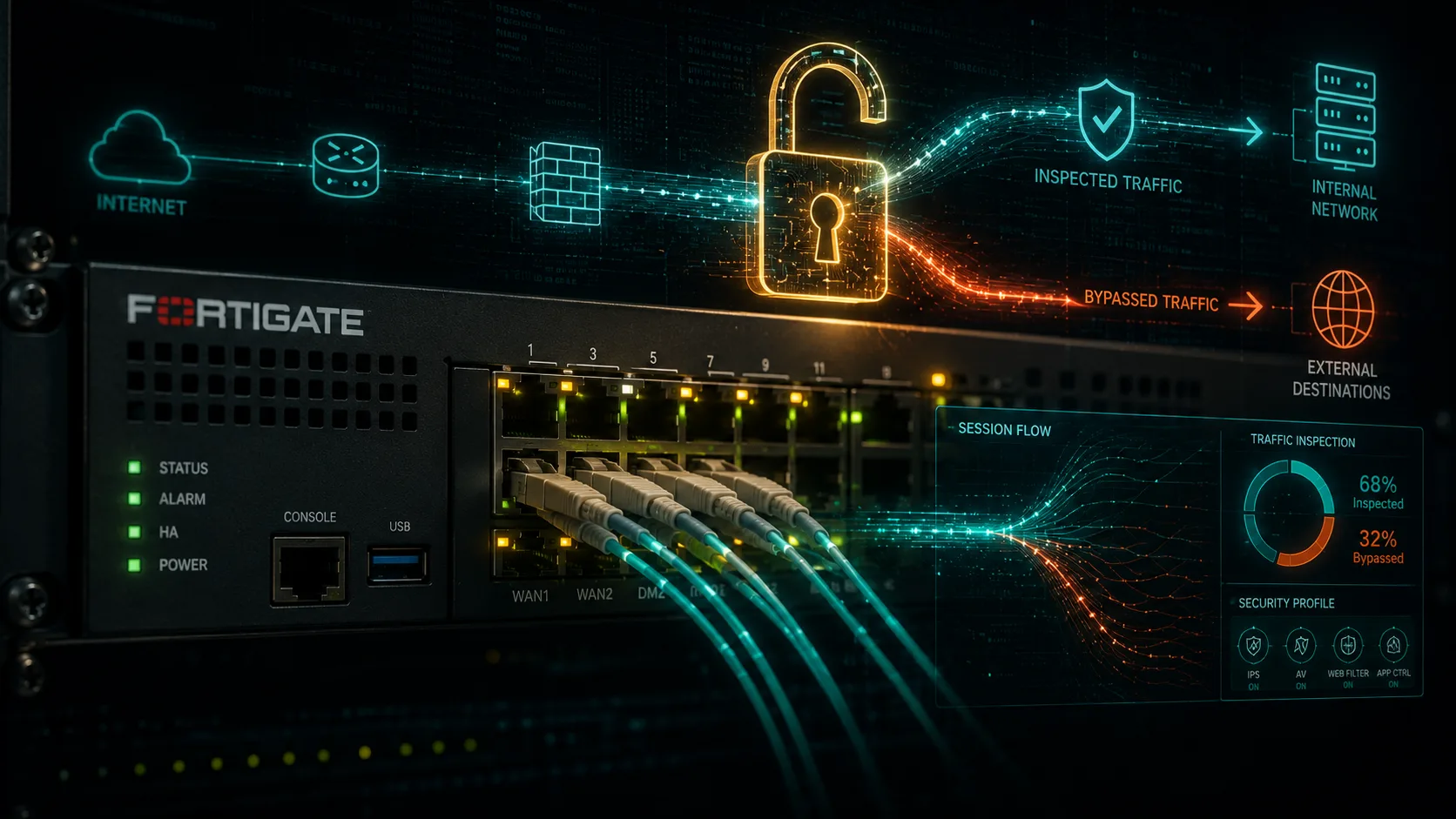
Full SSL deep inspection ("deep inspection" in the FortiOS profile) performs a man-in-the-middle termination. The FortiGate decrypts the session, inspects the plaintext payload with IPS, AV, DLP, and application control engines, then re-encrypts toward the client using a certificate signed by a local CA you control. The client must trust that CA, or it will throw a certificate error.
For most enterprise traffic, certificate inspection is a low-friction starting point. Deep inspection is where you get L7 payload visibility, but it carries real operational cost.
Q2: How do you distribute the FortiGate inspection CA so clients actually trust it?
The CA certificate needs to live in the Trusted Root Certification Authorities store on every endpoint that will traverse the deep-inspection policy. The three practical paths are:
-
Group Policy Object (GPO). For Active Directory environments, deploy via Computer Configuration > Windows Settings > Security Settings > Public Key Policies > Trusted Root Certification Authorities. This reaches domain-joined Windows machines within the next Group Policy refresh cycle, typically 90 minutes or at next logon.
-
MDM profile (Intune, Jamf). For macOS, iOS, and Android endpoints, push a trusted certificate profile. On iOS, a manually installed profile also requires the user to enable full trust under Settings > General > About > Certificate Trust Settings, which is a step many MDM-managed deployments automate away.
-
Manual import for non-domain devices. Servers, kiosks, and Linux hosts not managed by MDM need the CA imported into the system trust store (update-ca-certificates on Debian/Ubuntu, update-ca-trust on RHEL/CentOS).
Export the CA from FortiOS under System > Certificates, then stage the rollout to a pilot OU before broad deployment. A missed device does not silently fail; it throws a browser certificate error, which is visible and traceable.
Q3: Which categories of traffic should always be bypassed, and why?
Three categories have strong reasons for a permanent bypass:
Financial and banking traffic. Many financial institutions implement certificate pinning, meaning the application or browser extension expects a specific issuer chain. When FortiGate re-signs the certificate, the pin check fails and the connection drops. Clients like online banking portals and trading platforms are common casualties.
Healthcare applications. HIPAA-covered entities have contractual and regulatory obligations around who can access PHI in transit. Decrypting that traffic at the firewall may place the firewall operator in the role of a business associate without a signed BAA, creating compliance exposure. Most healthcare security policies explicitly exempt EHR vendor traffic (Epic, Cerner, and similar) from decryption.
Software update and OS telemetry endpoints. Microsoft Windows Update, Apple Software Update, Google Chrome update infrastructure, and vendor telemetry endpoints often use certificate pinning or HPKP remnants. Inspecting them causes update failures that are difficult to diagnose. FortiOS ships with a pre-built "exempt" category list for major update services; verify it is current for your FortiOS version.
Private CA traffic you already control. Traffic between internal services using your own PKI does not benefit from re-inspection through the FortiGate CA. Bypass it to avoid double-termination overhead.
In FortiOS, exemptions are configured as SSL/SSH inspection profile exceptions, either by certificate category, URL category, or a custom address group. Address-group-based exemptions are the most auditable because they are explicit and reviewable.
Q4: What is the performance cost, and does it vary by FortiOS version?
SSL deep inspection is CPU and memory intensive. The cost depends on three variables: session volume, average TLS record size, and whether your FortiGate model has dedicated content processors (CP9 or CP10 ASICs on higher-end units).
On entry-level and mid-range appliances (the FortiGate 100F series, for example), enabling deep inspection on all outbound traffic can reduce effective throughput by 50 to 70 percent compared to firewall-only throughput figures. Fortinet's datasheets publish both "firewall throughput" and "NGFW throughput with SSL inspection" numbers; the gap is the budget you are spending.
FortiOS 7.4 introduced improvements to the SSL inspection pipeline, including better session resumption handling and reduced memory overhead per inspected session compared to 7.2. If you are running FortiOS 7.0.x or earlier and have not patched, the SSL inspection engine carries known stability issues that were addressed in the 7.2 and 7.4 branches. Staying on a supported branch is not optional from a FortiGate hygiene standpoint.
Practical sizing guidance: scope deep inspection to outbound user traffic and internal-to-DMZ flows. Do not apply it to server-to-server east-west traffic unless you have a specific threat model that justifies the overhead.
Q5: What does a baseline SSL inspection policy look like, and how do you make it audit-ready?
A policy pattern that holds up to audit has four components:
-
A named deep-inspection profile applied to outbound user traffic (LAN-to-WAN firewall policies covering your user VLANs). Name the profile descriptively, for example "deep-inspect-users-outbound", so audit trails are readable.
-
A named exemption group (an address object group or FQDN group) covering the bypass categories above. Document the justification for each entry in a comment field or an external register. Exemptions with no documented rationale are findings in most security audits.
-
Certificate inspection only for server-to-server and management traffic. Apply the lighter profile to firewall policies covering server VLANs and OOB management networks. You get SNI visibility without the re-signing overhead.
-
Logging enabled on the inspection profile. FortiOS logs SSL inspection events, including bypassed sessions and certificate errors, to the UTM log category. Forward these to your SIEM. A bypass list that nobody is reviewing is not a control; it is a gap.
Review the exemption group quarterly. Certificate pinning requirements change as vendors update their PKI, and a bypass added for a legacy application may no longer be necessary after a software update.
Running Retrievy's FortiGate hygiene checks against your device inventory will surface inspection profiles that are attached to zero policies (dead config), profiles with logging disabled, and policies where deep inspection was intended but certificate inspection was applied instead. Those gaps are the ones that show up in penetration test reports.
Bottom line: SSL deep inspection is worth enabling, but the exemption design is the hard part. Get the CA distribution right first, define your bypass categories before you go live, and treat the exemption list as a living document with a review cadence. The policy pattern above gives you a defensible starting point.
Keep reading in Threat Intel