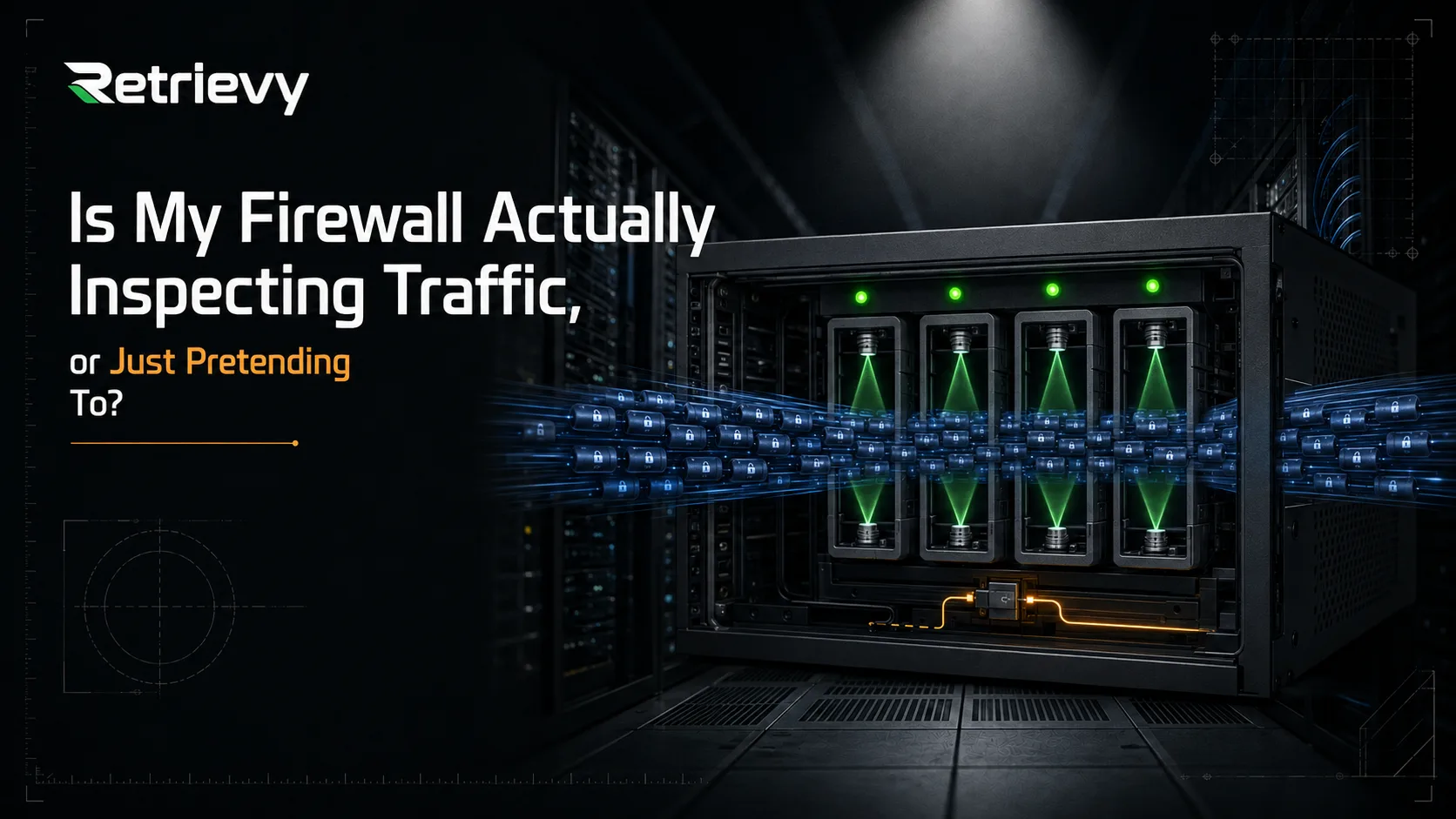
Is My Firewall Actually Inspecting Traffic, or Just Pretending To?
Most firewalls show four green UTM profile indicators on outbound policies while the SSL/SSH Inspection field is set to `certificate-inspection`. Meaning those engines receive no decrypted traffic and are effectively blind to nearly all modern HTTPS sessions.
Open Policy & Objects, click into any outbound policy, and look at the Security Profiles section. AntiVirus, green. Web Filter, green. IPS, green. Application Control, green. Four profiles attached, four indicators lit, one policy that looks exactly the way a hardened policy is supposed to look.
Now check what is set in the SSL/SSH Inspection field directly underneath them.
If it says certificate-inspection, those four green indicators are describing controls that cannot see the traffic they are attached to. Not degraded. Not partially effective. Blind, on every HTTPS session that policy handles, which in a modern network is nearly all of it.
The profiles are attached. That is what the GUI is telling you, and it is true. The GUI is not telling you whether they are working, because FortiOS has no reason to warn you about a combination you configured deliberately. A CIS benchmark check will not tell you either, because "is an AntiVirus profile applied to this policy" returns pass, and that is the question the benchmark asks.
This article is about the gap between attached and effective, why that gap opens quietly in almost every environment, and how to determine which of your policies are currently inspecting nothing.
What Certificate Inspection Actually Does
Both options in the SSL/SSH Inspection field are legitimate features. They do very different jobs, and the naming does not make that obvious.
Certificate inspection examines the TLS handshake and stops there. The FortiGate reads the SNI field from the ClientHello and the Common Name and SAN from the server certificate, checks certificate validity, and then lets the encrypted session pass through untouched. The payload is never decrypted.
Deep inspection terminates the TLS session. The FortiGate presents its own certificate to the client, establishes a separate session to the destination, decrypts the traffic in the middle, inspects the cleartext, then re-encrypts and forwards. This is a deliberate man-in-the-middle, which is exactly why it requires the FortiGate CA certificate to be trusted by every client.
The practical difference is what each one gives the UTM engines to work with.
With certificate inspection, the only thing any downstream profile receives is a hostname. Web Filter can categorize that hostname and block it, and that genuinely works. Everything else gets nothing:
- AntiVirus cannot scan a file inside an encrypted stream. A malicious payload delivered over HTTPS passes through without ever reaching the scanning engine.
- IPS cannot match signatures against a payload it cannot read. Exploit attempts inside TLS are invisible.
- Application Control loses most of its precision. It can identify some applications from SNI and traffic patterns, but it cannot distinguish actions within an application, and anything using a shared or generic hostname becomes unclassifiable.
- DLP cannot detect sensitive data in a stream it cannot read. This one is total.
- Web Filter keeps hostname-level categorization but loses URL-level filtering, content inspection, and the ability to evaluate anything past the domain.
So the accurate way to describe a policy running certificate inspection with four UTM profiles attached is this: one control operating at reduced capability, and three operating at none.
Why This Is Called the Domino Effect
The reason this deserves a name is that it is not four independent failures. It is one failure that propagates.
Every L7 control on that policy depends on the same upstream condition: cleartext. SSL inspection is the node that produces cleartext. When it is set to certificate-only, everything downstream inherits the blindness at once, regardless of how carefully each individual profile was configured.
That is a very different remediation shape from what most audit output implies. A findings list that says "AntiVirus not effective on policy 47, IPS not effective on policy 47, DLP not effective on policy 47" describes three problems and invites three investigations. There is one problem. Fix the SSL inspection setting and all three resolve simultaneously.
It also inverts how you should read your own configuration. The profile assignments on a policy are not the security posture of that policy. They are the security posture that policy would have, conditional on SSL inspection actually delivering decrypted traffic. Read the SSL/SSH Inspection field first, then read the profiles. In the GUI they are laid out in the opposite order, and that ordering has probably cost the industry more than any other UI decision in FortiOS.
This is why Retrievy renders it as a pipeline rather than a checklist. The Policy X-Ray traces the Layer 7 path node by node, so a gap at the SSL node visibly cascades into every control behind it, and the Action Board ranks the root cause rather than the four symptoms.
Why Deep Inspection Is Off in So Many Environments
It is worth being direct about this, because pretending the fix is trivial is how security content loses credibility with the people who actually run the box.
Deep inspection breaks things. Not hypothetically.
Certificate pinning. Applications that pin certificates reject the FortiGate's substituted certificate by design. Many mobile applications, several desktop clients, most software update mechanisms, and a long list of SaaS agents will fail outright. They do not fail gracefully. They fail with errors that reach the helpdesk within minutes.
CA distribution. Every client needs the FortiGate CA in its trust store. Domain-joined Windows machines are straightforward through Group Policy. Unmanaged devices, contractor laptops, mobile devices, IoT, Linux servers with their own certificate stores, and applications that ignore the OS trust store entirely are all separate problems.
Performance. Decryption and re-encryption cost CPU. On a device already running near capacity, enabling deep inspection across every policy is a capacity planning decision, not a checkbox.
Legitimate privacy exclusions. Some traffic should not be decrypted. Employee banking, healthcare portals, and legal communications are categories most organizations deliberately exclude, and in several jurisdictions that exclusion is a legal requirement rather than a preference. The default deep-inspection profile ships with exemptions for exactly these categories, and that is correct behavior.
So the honest position is not "turn on deep inspection everywhere." It is that deep inspection should be the default on general outbound policies, with a deliberate, documented, and reviewed set of exceptions.
Which brings us to where this actually decays.
The Exemption List Is Where Posture Goes to Die
Almost nobody sets a policy to certificate inspection on purpose after deciding deep inspection is the right control. What happens instead is a sequence that every firewall administrator will recognize.
Deep inspection gets enabled. Something breaks. A ticket arrives, usually during business hours, usually about an application that a loud department depends on. The fastest resolution is an exemption, so an exemption is added. The ticket closes.
That repeats. Each individual instance is defensible. Nobody schedules a review, because there is no ticket for reviewing exemptions and the exemption list is not on any dashboard.
Two years later the exemption list has entries whose original justification nobody remembers, entries for applications that were decommissioned, entries that are far broader than the problem that created them, and entries that were meant to be temporary. Meanwhile the policy still reports deep inspection, so every audit and every dashboard shows it as compliant.
There is a second version of the same decay, and it is worse because it is invisible. Someone reverts a specific policy to certificate inspection to resolve an urgent problem, intending to revisit it. Nobody revisits it. That policy now shows four attached profiles and inspects nothing, and it looks identical in the GUI to a policy that is fully protected.
This is why I keep coming back to the same argument regardless of which platform I am auditing: configuration security is a state, not a project. You do not have a firewall posture. You have a firewall posture as of the last time somebody looked, and the gap between that moment and now is filled with urgent tickets resolved by capable people under time pressure.
How to Check This on Your FortiGate Right Now
Here is how to establish the actual state, without a tool, in a few minutes.
First, find which policies are not running deep inspection. From the CLI:
config firewall policy
  show | grep -f ssl-ssh-profile
end
Anything returning certificate-inspection, or any custom profile you have not verified, is a candidate. Note that a policy with no ssl-ssh-profile line at all is inheriting the default, which you also need to check.
Second, confirm what your inspection profiles actually do. The profile name tells you nothing; a custom profile called deep-inspection-corp may well be running certificate-only:
config firewall ssl-ssh-profile
  edit "your-profile-name"
    config https
      show
    end
  next
end
Look at whether the mode is deep-inspection or certificate-inspection per protocol. This is per-protocol, so HTTPS can be deep while SMTPS, POP3S, IMAPS, FTPS, and SSH are not. Encrypted mail protocols are a common blind spot precisely because everyone checks HTTPS and stops.
Third, read the exemption lists. Both the address exemptions and the FortiGuard category exemptions:
config firewall ssl-ssh-profile
  edit "your-profile-name"
    config ssl-exempt
      show
    end
  next
end
For each entry, ask whether you can name why it exists. Entries you cannot explain are the ones to investigate.
Fourth, verify your FortiGuard subscriptions are current. An expired subscription silently degrades everything downstream of it. Web Filter categorization stops updating, AntiVirus signatures go stale, IPS stops receiving new signatures:
diagnose autoupdate versions
get system fortiguard
Check the expiry dates and the last update timestamps. A profile referencing a service you no longer have entitlement to still shows as attached and still shows green.
Fifth, cross-check against real traffic. A policy can be perfectly configured and still be irrelevant if traffic is matching an earlier, broader rule:
config firewall policy
  show | grep -f "set name"
end

diagnose firewall iprope show 100004
Or read hit counts in the GUI and sort by them. A policy with a beautifully configured deep inspection profile and zero hits since the counter reset is not protecting anything, and a permissive rule sitting above it in the sequence is the reason.
That last check matters more than people expect, and it connects the two halves of this problem. Policy ordering means the rule you think is enforcing inspection may never be evaluated. First match wins, and a broad any-to-any rule higher in the list will quietly take precedence over the carefully built policy below it.
What This Looks Like at Fleet Scale
The manual process above works for one device. It does not scale, for reasons that are structural rather than a matter of effort.
Run it across twelve firewalls with VDOMs and you are correlating hundreds of policies against dozens of inspection profiles, each with its own exemption list, against subscription states that differ per device. Doing that by hand produces a spreadsheet that is accurate on the day it is built and wrong within a month.
And a point-in-time answer is the wrong shape for this problem anyway. The failure mode described earlier is not a configuration that was always wrong. It is a configuration that was right, and then a ticket happened. What you need is not an audit; it is a baseline that notices when the state changes.
That is the gap Retrievy SCM for FortiGate is built to close, and it is worth being precise about what it does and does not do.
It is a posture and configuration engine, not an intrusion detection system. It does not analyze traffic, read session logs, or detect command and control. It reads the live device configuration over a read-only SSH session and tells you what your controls are actually capable of.
The L7 Efficacy Engine runs 45 deep-inspection checks across SSL/TLS, AntiVirus, IPS, Application Control, Web Filter, DNS, DLP, and policy configuration. Not whether a profile is attached, but whether it is configured to do its job: SSL inspection depth, AV outbreak prevention, IPS action on critical-severity signatures, how Application Control handles unknown traffic, FortiGuard category coverage on Web Filter, DNS botnet blocking, DLP detection rules.
The Policy X-Ray renders each policy as a traffic pipeline with per-node status, and the Domino Effect visualization shows the cascade explicitly. When the SSL node fails, you see exactly which downstream controls it blinded, per policy, so you fix one thing instead of triaging four findings. Click the SSL node and it shows you the actual configured mode, per protocol, rather than the profile name.
The Drift Engine catches the decay pattern. Every scan snapshots the configuration and diffs it against the previous one. Routine change is filtered out, so signature updates and rolling counters generate no noise. A policy flipping from deep inspection to certificate inspection generates a real alert. This is the part that addresses the ticket-driven regression, because it is the only mechanism that will catch it in days rather than at the next audit.
The admin plane gets 28 CIS checks, covering password policy, idle timeout, trusted hosts, encrypted access only, SNMPv3, default admin removal, and certificate validity including weak algorithms, self-signed certificates, and expiry.
Every finding ships with both the GUI path and the CLI block, so remediation does not require translating a benchmark reference into FortiOS syntax.
Deployment is a read-only admin profile and an SSH session. The collector runs as a Windows agent or a Docker container, gathers configuration, and ships it encrypted for server-side analysis. It never writes to the device. Adding the first FortiGate takes about three minutes and the first efficacy report appears the same day. Clusters are supported, reading from the active member, with sync state and inter-member drift surfaced before a failover turns it into an incident.
What to Do This Week
Three concrete actions, in order of value:
Inventory which policies run certificate inspection. Not which have profiles attached. Which are actually decrypting. If any general outbound policy is in the certificate-only column, you have found where your UTM stack is not running.
Read your exemption list line by line. Every entry you cannot justify is a decision that was made under pressure and never reviewed. Some will be correct and should be documented as such. Others will be leftovers from applications that no longer exist.
Decide how you will detect the next regression. Not the ones you find today. The one that happens in October when something breaks at 4pm on a Friday and the fastest fix is to flip a policy back to certificate inspection. If your answer is the next scheduled audit, then the honest expectation is that the gap will exist for months.
The GUI will keep showing green through all of it. That is not a bug, and it is not Fortinet being careless. It is a display of what is attached, and attached is a fact about configuration rather than a fact about protection. The difference between those two is where the entire problem lives.
If you want to see which of your policies are inspecting and which are only appearing to, request a trial and connect your first FortiGate. Read-only SSH, three minutes, and the first Policy X-Ray comes back the same day.
Keep reading in Articles