Turn an Active Directory security assessment into a continuous hardening cycle.
Retrievy assesses the security state collected from Active Directory and its domain controllers, connects risky identity relationships to configuration evidence, and carries each confirmed issue from detection through remediation and a later verifying scan. It is a posture and hardening workflow, not a generic network vulnerability scan.
A finding list is not an Active Directory security program.
A quarterly export can show that an account is privileged or that a domain controller setting is weak. It rarely shows how nested membership, Kerberos exposure, delegation, Group Policy, and host configuration combine into the next practical hardening decision.
The other gap appears after the report is delivered. Ownership becomes unclear, evidence is scattered across tickets, and nobody can prove that the correction survived the next configuration change.
Retrievy keeps the assessment tied to collected evidence, remediation ownership, configuration history, and subsequent scans so the work ends with verification rather than a closed spreadsheet row.
Correlate identity risk with the controls that shape it.
Each lens answers a different part of the assessment without pretending that one score explains the whole directory.
Privilege and identity exposure
Review direct and nested privileged membership, risky account state, Kerberos-related exposure, selected delegation risks, DCSync evidence, and evidence-backed routes into Tier Zero.
Domain controller hardening
Surface collected host and directory-control gaps such as LDAP and SMB protections plus supported protocol, audit, and other Windows hardening findings.
AD CS and credential controls
Identify supported vulnerable certificate-template conditions, service-account risk, password-policy weaknesses, and whether legacy or Windows LAPS schema support is present.
Group Policy and change
Inspect collected GPO settings and precedence, flag targeted GPO hygiene and delegation issues, and compare snapshots for meaningful policy drift.
Evidence across the directory, not a single scanner category.
Coverage depends on the evidence available to the collector. Retrievy reports partial or unavailable evidence rather than presenting it as a confirmed pass.
Privileged membership
Direct members, nested group chains, protected accounts, and standing access to high-value AD groups.
Kerberos exposure
Kerberoastable and AS-REP-roastable accounts, weak encryption signals, password age, and krbtgt-related posture checks supported by the AD collector.
Delegation and directory control
Unconstrained delegation, selected constrained and resource-based delegation risks, DCSync rights, AdminSDHolder-related control, and dangerous GPO delegation.
Certificate services
Supported risky AD CS template conditions, including the selected ESC classes implemented by the collector, without claiming comprehensive AD CS attack coverage.
Domain controller protocols
Collected LDAP and SMB protections plus supported Windows protocol, audit, and host-hardening settings that affect domain-controller security.
Accounts and local admin controls
Stale computers, inactive or risky administrators, password flags, service-account exposure, and LAPS schema-support signals.
Group Policy state
GPO inventory, linked scope, collected setting precedence, hygiene observations, and changes between snapshots.
Evidence and ownership
Finding-specific evidence, remediation guidance, assignment state, exceptions, and the scan result that verifies or reopens the work.
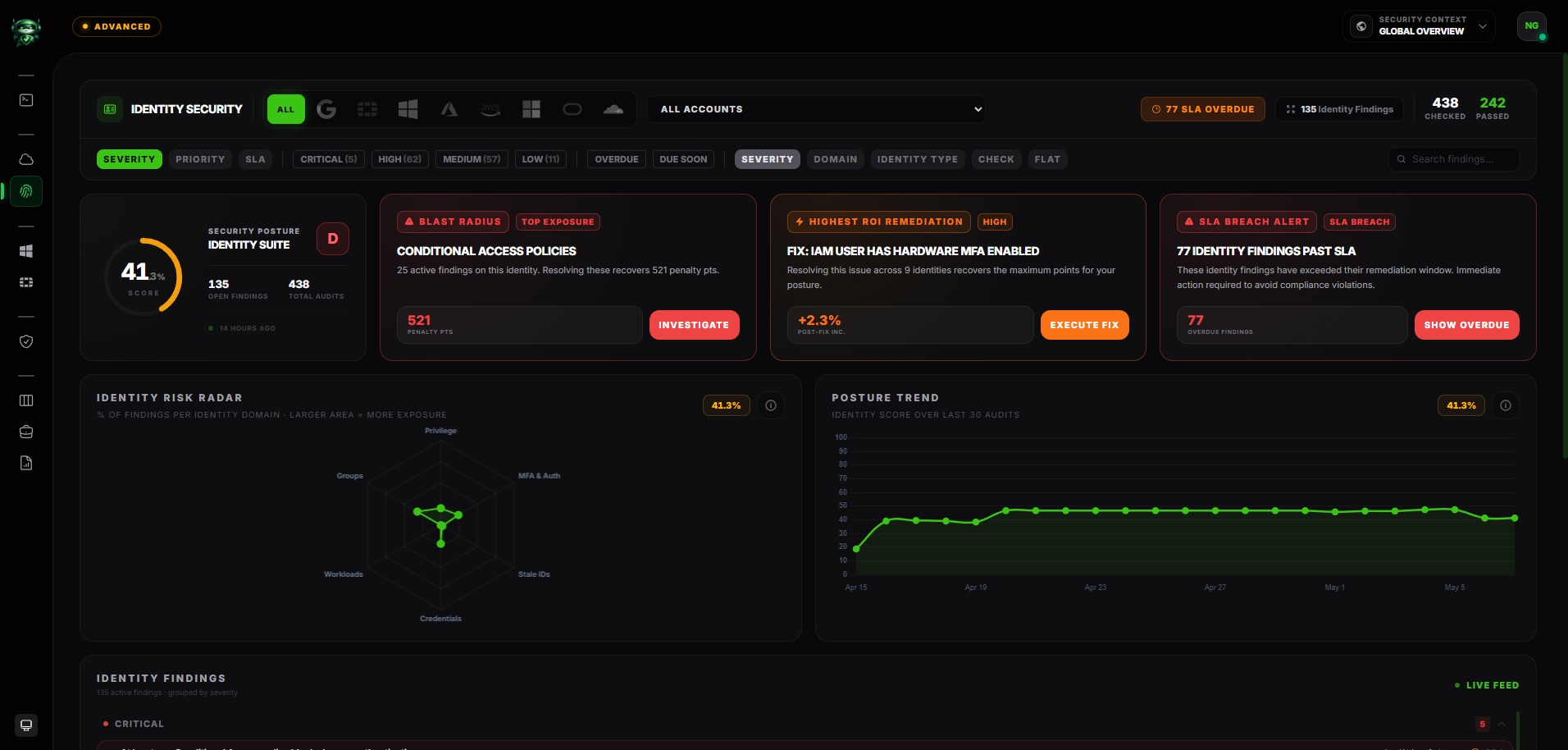
Detect, prioritize, remediate, and verify in one evidence trail.
-
1
Detect
Collect the current state
A read-only Windows collector gathers supported directory, identity, host-hardening, and GPO evidence from the environment it can observe.
-
2
Prioritize
Connect exposure to impact
Severity, privilege reach, account state, affected scope, and shared identity paths help distinguish a dangerous control gap from routine cleanup.
-
3
Remediate
Give the issue an owner
The finding retains its evidence and guidance while teams assign it, group it into a hardening project, document exceptions, and record the intended correction.
-
4
Verify
Let the next scan prove it
A later scan checks the security state again. A cleared finding can move to verified resolution; recurring evidence reopens the risk instead of hiding it.
A nested service account reaches Domain Admins
In this fictional lab, CORP\svc-build is nested through Legacy App Operators and an old administration bridge into Domain Admins. The same account has a service principal name, a non-expiring password, and legacy Kerberos exposure.
- Identity
- CORP\svc-build
- Observed chain
- svc-build → Legacy App Operators → Admin Bridge → Domain Admins
- Related state
- Service principal name; password does not expire; legacy encryption signal
- Assessment result
- Identity exposure and credential hardening require coordinated remediation
Analysis
The important result is not three unrelated alerts. It is the combined evidence that a roastable service identity has an unintended path into a Tier Zero group.
Remediation
The team reviews the application dependency, removes the unintended nesting, rotates and hardens the service credential, and records the change against the same evidence-backed work item.
Verification
On the next assessment scan, Retrievy checks for the privilege chain and risky account state again. The work is only verified when the collected evidence no longer supports the finding.
Designed for hardening decisions, not vulnerability-volume reporting.
State-aware
The assessment starts from directory and configuration state rather than treating AD as another IP address with open ports.
Evidence-preserving
Findings retain the affected identity or control, collected evidence, rationale, and remediation guidance needed for review.
Relationship-aware
Nested membership and supported privilege relationships add context that a flat privileged-user export cannot provide.
Verification-led
Closing a task is not the final signal. Later scanner evidence determines whether the issue stays resolved or returns.
Questions the same evidence can help answer.
- Which ordinary identities have a collected path into Tier Zero?
- Which service accounts combine privilege with weak Kerberos or password state?
- Which delegation and directory-control relationships require review?
- Which domain-controller protections have regressed?
- Which GPO changes altered the collected effective setting?
- Which remediations still need a verifying scan?
Continue with the relevant solution and technical guidance.
Related Retrievy solutions
Related security guidance
Active Directory Security Assessment, answered.
1. Is this a penetration test or a generic vulnerability scan?
2. Does the assessment require Retrievy to change Active Directory?
3. Does Retrievy provide complete AD CS attack coverage?
4. Does a LAPS result prove every endpoint is covered?
5. How is remediation verified?
Make the next AD assessment the start of the fix.
Evaluate Retrievy with your own directory evidence and see how findings move from assessment to verified hardening.