Framework Builder: ship your own compliance catalogs from inside the Compliance Hub
Author hybrid compliance frameworks (CIS plus NIST plus your own controls) in a two-panel editor, export them as JSON, and reuse them across every tenant you manage. The Compliance Hub grid also got a CISO redesign that stops shouting red at you.
A new control framework every quarter. Same source data every time.
If you run security for more than one customer, you already know the loop. A Pharma prospect signs and now you need HIPAA controls layered on the CIS Controls baseline you already shipped. A German subsidiary turns up with C5 obligations on the Azure account you finished tuning last month. Your enterprise client's auditor invents a "vendor-specific" subset of ISO 27001 with eight bespoke controls bolted on.
Every time, the data is the same. The scanners already ran. The findings are already in the system. The work was building a framework that mirrors the obligation the customer actually has, then pinning your controls to it.
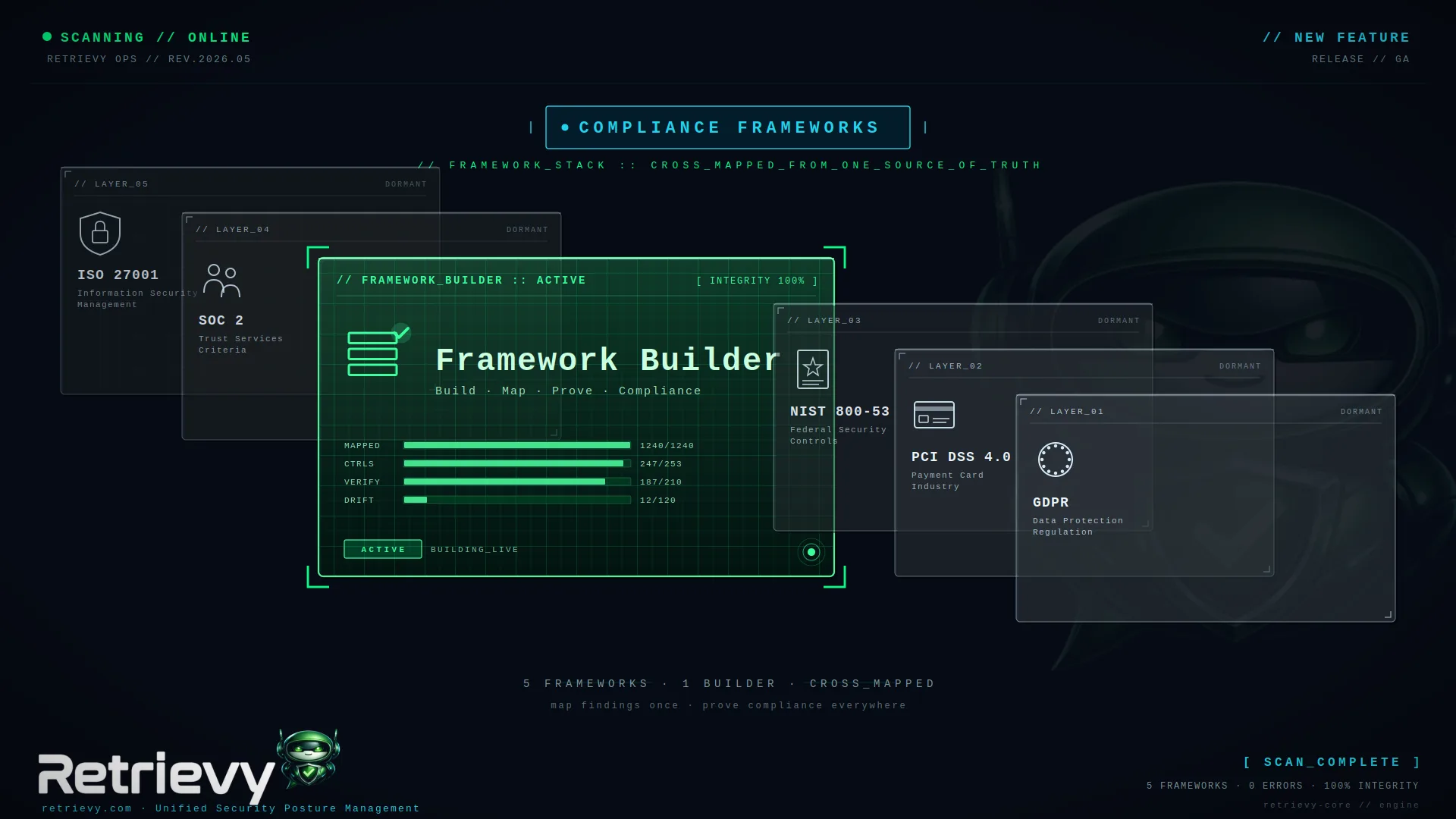
Today we are shipping the Framework Builder. It lives inside the Compliance Hub. It lets you author that custom catalog in a two-panel editor, version it as you make changes, and (for MSSPs) carry it cleanly between tenants as portable JSON. The Compliance Hub grid also got a redesign in the same release. More on that below.
What the Builder does
The Builder is a two-panel editor reached at /compliance/builder (available on Pro and Enterprise tenants).
On the left you pick from every framework Retrievy already understands: 76 catalogs across AWS, Azure, GCP, OCI, M365, Cloudflare, Windows AD, FortiGate, plus the Retrievy-authored hardening catalogs. You can also write fresh requirements from scratch.
On the right is the framework you are building. Drag a CIS Controls requirement in. Drop in a NIST 800-53 control next to it. Layer a custom "Pharma data residency" requirement at the bottom. Save. The framework appears as a card in the same Compliance Hub grid your customer already uses, scored against the same Data Sources, with the same trend arrows and drilldowns.
A few details that turned out to matter:
- Versioning is automatic. When you edit a framework version that is already bound to a Remediation Project, the Builder clones it forward as v2 so historical projects keep resolving against the old definition. Auditors stay happy. Your customer's running project does not get retroactively rewritten under them.
- Export and import as JSON. You ship a framework once for a Pharma vertical, then import it into the next four Pharma tenants you onboard. The Builder accepts drag-and-drop uploads on the import card and validates the schema before anything lands.
- Permission-gated, plan-gated, defense-in-depth. The Builder needs the
frameworks.builder.managepermission AND thecompliance_builderplan feature. Both are checked on every action, not just on page load, so a downgraded tenant whose session is still warm cannot keep authoring. - Read-only view stays useful. Analysts and viewers on the same tenant can open the Builder and browse the catalogs you authored. They just cannot edit. The Import, Create, and Delete surfaces hide automatically for them.
Three use cases we built it for
Vertical overlays for MSSPs. Your Pharma customers want HIPAA + GxP awareness layered on top of CIS Controls. Build it once in your MSSP tenant, export the JSON, import it into every Pharma customer tenant you operate. One catalog, identical scoring everywhere.
Regional carve-outs. NIS2 controls for the EU subsidiaries, CISA performance goals for the US ones, ENS RD2022 for the Spanish public sector account. Each catalog stays small and exactly relevant to that customer's auditor. No "ignore the irrelevant 40%" caveat in your reports.
Vendor-specific subsets. Your enterprise client's auditor wants the 32 controls that touch identity, scored together, on the same card. Build that subset in 10 minutes, point a Remediation Project at it, hand the auditor a single drilldown URL.
The Compliance Hub grid got a CISO redesign too
While we were in there, the All Frameworks table was carrying too much red. On a freshly onboarded tenant with 19 low-scoring frameworks, the table was painting an entire wall of red verdict pills, red severity badges, red H+C counts. Four different surfaces telling you the same fact in the same color. The CISO reaction was not "I know what to fix next." It was "this product is yelling at me."
The redesign keeps one signal per row.
- The score percentage carries the verdict color. That is the one legitimate place red speaks.
- The old Severity strip (four C/H/M/L chips) is gone. Severity mix lives in the drilldown where triage actually happens, plus a tooltip on the row's Open count.
- The old Verdict pill is gone. The score % is already a verdict.
- The H/C column is now a single "Open" chip with three calm tiers. Muted gray when zero open. Amber when 1 to 3 critical/high are open. Red only at 4+. So "9 frameworks need attention, 2 of them urgently" reads as "9 amber, 2 red", not "11 alarms."
- Down-trend arrows stay zinc instead of red. The score color is the source of truth on whether you are bleeding.
The table is still the same data, still sortable on the same columns, still drillable. It just stops competing with itself for your eye.
Plus: project the right Data Sources, not "every account of that provider"
A related fix landed in the same release. Clicking "Project these 3" (or any of the "Create from selection" / "Create from framework" CTAs in the Drilldown) used to pre-select cloud accounts by provider, not by which accounts actually had the failing findings. Three things broke as a result:
- FortiGate findings (which live polymorphically on the FortiGate account row, not on a CloudAccount) were always missed. You had to add the FortiGate scope manually in step 2.
- A tenant with multiple AWS accounts where only one was bleeding got every AWS account pre-selected. You had to deselect the clean ones before the wizard's match count made sense.
- Hybrid Builder frameworks with no single provider pre-selected nothing.
Now the wizard queries the actual findings on the requested check_ids and pre-selects exactly the Data Sources responsible, FortiGate included. Three tests pin the new behaviour so the fix sticks.
Try it
The Builder is live for every tenant on Pro and Enterprise. Open the Compliance Hub, click Builder in the header, name your framework, and start dragging. If you are an MSSP, build it once in your home tenant and export the JSON. Drop it in any other tenant you operate.
If you need the Builder on Essentials, talk to us. We can flip it on for a trial while you decide.
Keep reading in Releases