X-Ray Vision for FortiGate and Active Directory: What Your Audit Tool Isn't Showing You
FortiGate and Active Directory audits now include full policy simulation in Retrievy. Showing which GPOs actually win, which firewall rules have no profile attached, and where your passing compliance checks are covering for real exposure.
Introducing X-Ray: Looking Past the Compliance Checkbox
Most security scanners give you a grid of green and red boxes. You learn that 47 of 60 CIS controls pass, that something called "Restrict Unconstrained Delegation" failed, and that you owe an auditor a paragraph by Friday. What the grid never tells you is the part that actually matters: how did the failing control behave in production, what else does it touch, and which knob can you turn to fix it without breaking the network at 9am Monday.
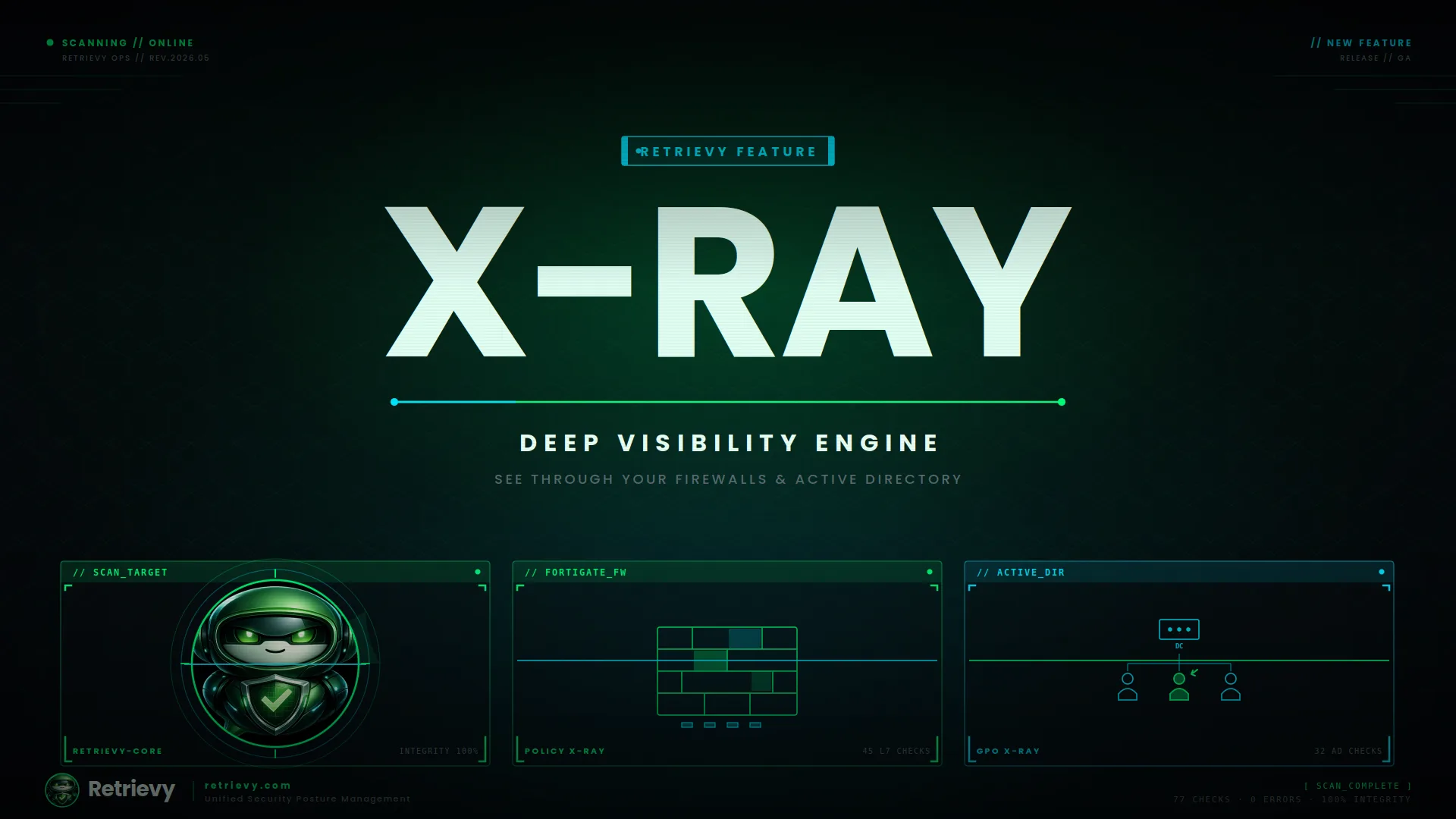
X-Ray is the part of Retrievy that answers those questions. It is now live for two of the noisiest, most consequential surfaces in any enterprise: Active Directory and Fortinet FortiGate. Below is what shipped, what it looks at, and why it changes the conversation.
Why a checkbox is not enough
A typical CIS benchmark check is a true or false on a single setting. Did you set Password Complexity to enabled in the policy that links to the domain root? Pass. Did the GPO get applied to the OU you actually care about? Nobody asked.
That gap is where breaches live. We see it every day. An organization passes the GPO complexity check because the setting exists somewhere, while the OU containing the executive workstations has Block Inheritance turned on and a local policy that quietly overrides the rule. We see firewalls passing antivirus checks while half the relevant policies have no profile attached, or have SSL inspection disabled, which makes every downstream profile a placebo.
X-Ray was built to expose that distance between the policy you wrote and the behavior you actually got.
Active Directory X-Ray
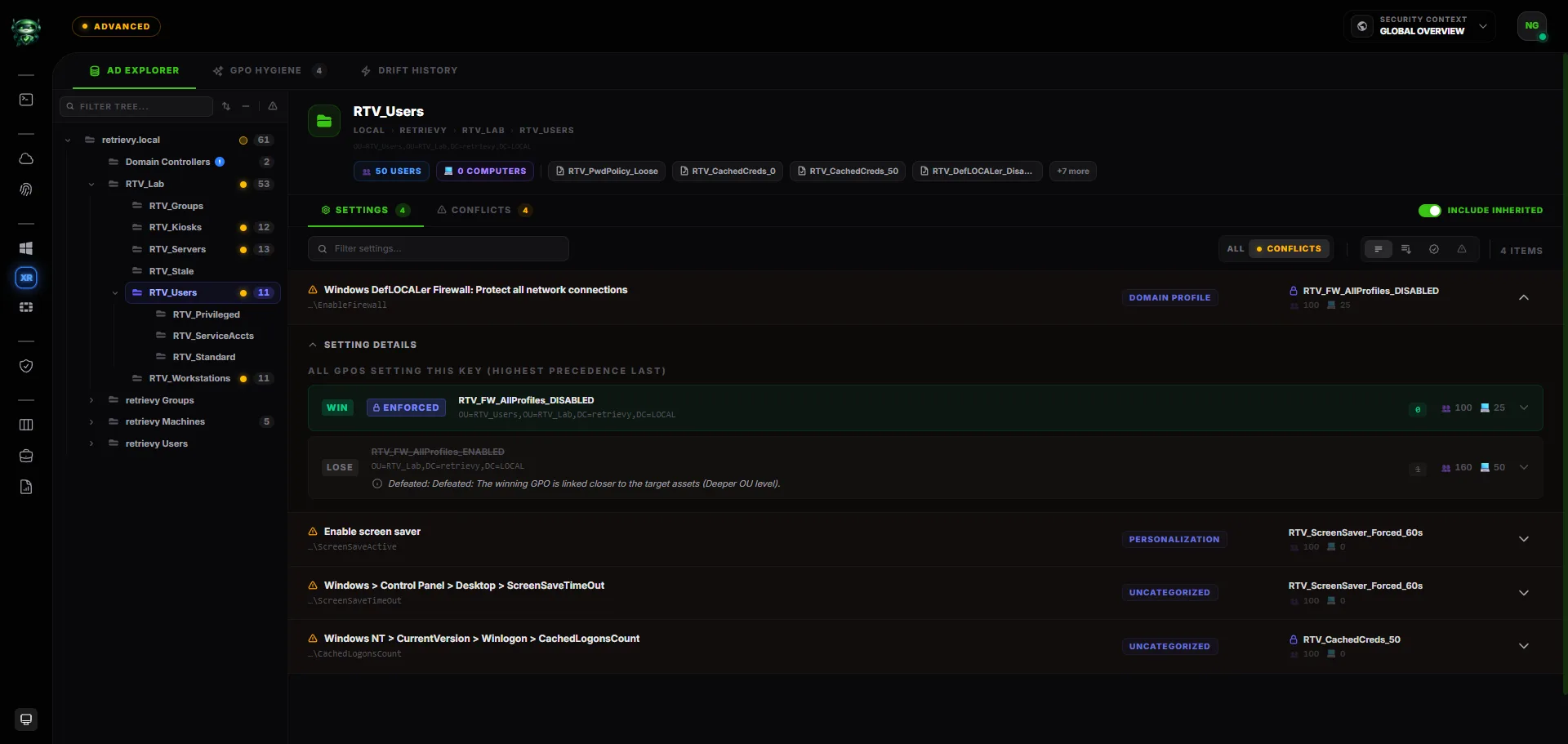
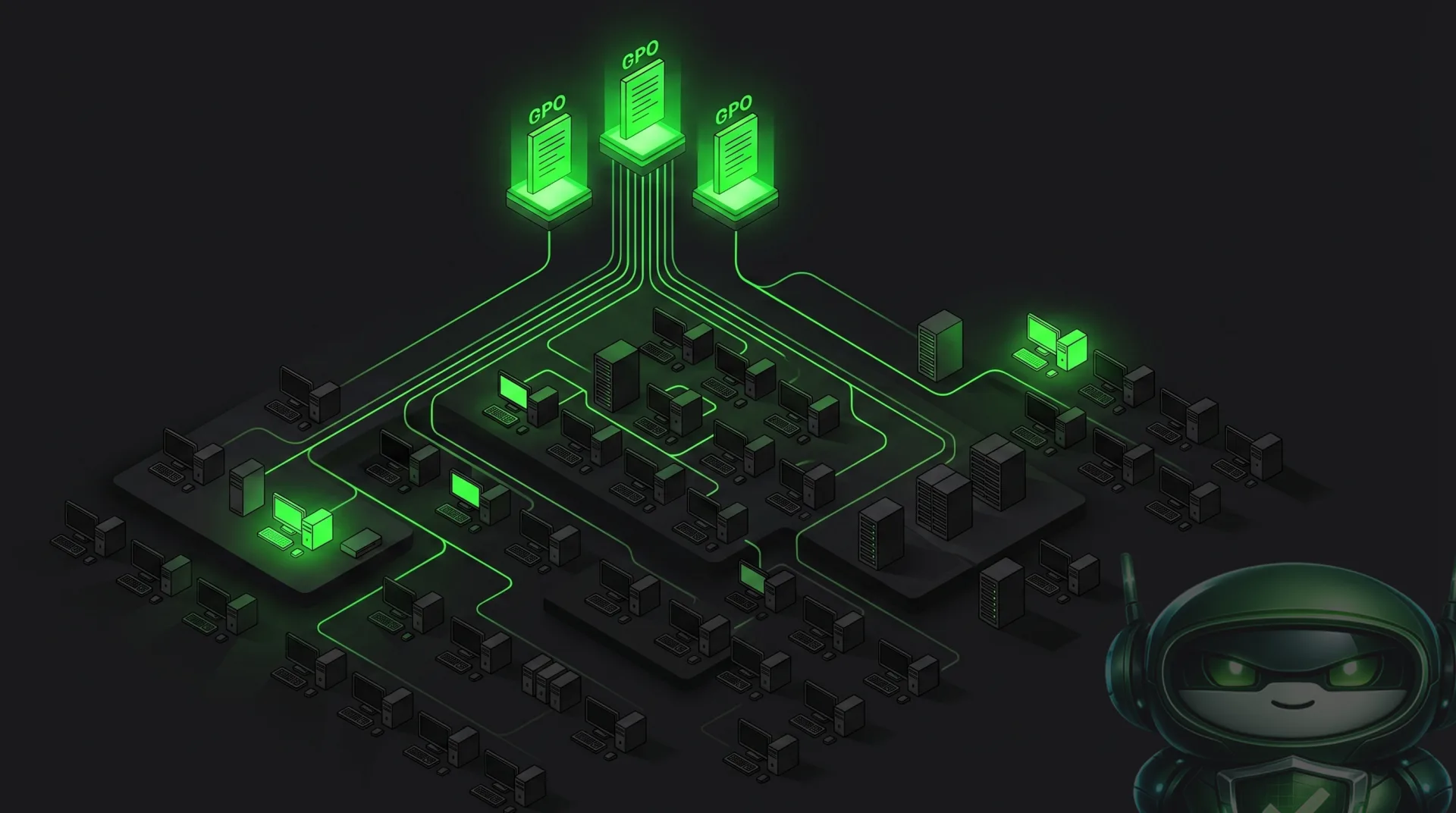
If you have ever tried to explain Resultant Set of Policy to someone outside your team, you know the shape of the problem. AD applies GPOs in a layered order. Site, domain, OU, child OU. Link order matters. Enforced links override Block Inheritance. Disabled link options exist. Permissions filter who receives what. WMI filters reduce the population even further. The result is that two computers in the same OU can LOCAL up with different effective settings, and almost nobody can predict it from looking at the console.
X-Ray for Active Directory walks the entire hierarchy the same way a domain controller does and produces an effective settings view per OU, with the conflict story baked in.
What that means in practice:
- Full RSoP simulation. Every setting is traced to the GPO that won and every GPO it defeated on the way. If a setting reaches its final value because an Enforced link at the domain pierced Block Inheritance two levels down, the report says exactly that, in plain English.
- Shadowed GPOs. Policies that exist, are linked, and never apply to a single object because something upstream beats them every time. These are the "we are paying compliance debt for a policy that does nothing" cases.
- Conflict detection by link order. When two GPOs at the same OU disagree, X-Ray surfaces the loser and the reason, including the explicit link order. No more guessing which policy wrote the last value.
- Human readable principals. Privilege assignments such as SeDebugPrivilege show up with the actual group and account names, not raw security identifiers. Orphaned identifiers from deleted users or migrated tenants are flagged so they stop hiding in plain sight.
This is the layer above the audit findings. The findings tell you a control fails. X-Ray tells you why, who, and where.
Going beyond the AD compliance check
Active Directory checks in Retrievy now cover 32 distinct controls, most of them in territory that traditional CIS scanners do not enter at all.
A few of the ones our customers have flagged as immediately useful:
- Unconstrained delegation, on computers and users. Machines and accounts trusted to impersonate any identity in the domain are a Golden Ticket gift. We surface them separately from constrained delegation and from resource based constrained delegation so the operator can act on the right risk level.
- Kerberos hygiene. The krbtgt account password age check is one of those things every blue team knows they should care about and almost never does, because nothing in the AD console nudges them. X-Ray flags krbtgt accounts that have not been rotated in 180 days, which closes one of the most common Golden Ticket conditions.
- Credentials living in object attributes. Description, info, and comment fields across the directory are scanned for credential like patterns. Yes, people still write passwords in description fields. A lot of people.
- Reversible encryption, password not required, DES only Kerberos. Account flag conditions that almost never show up in console summaries but are trivially exploitable when present.
- SID history with privileged identifiers. Accounts carrying SID history that includes well known privileged groups (Domain Admins, Enterprise Admins, Schema Admins) are escalated to critical automatically. This is the classic "migrated five years ago and forgot to clean up" issue.
- Domain controller surface. Print Spooler running on a DC (PrintNightmare territory), DCs running operating systems older than supported builds, and DCs missing AES Kerberos encryption types.
- Domain policy with PSO awareness. Weak password policy is not just the default domain policy anymore. We resolve Password Settings Objects and escalate when the lockout threshold is zero, which is the configuration most commonly responsible for unlimited password spray.
- Machine Account Quota above zero. The default value of 10 is one of the longest standing AD escalation primitives. We flag any non zero quota.
These are not box ticking checks. They are the same surface that mature red teams and tools like BloodHound and PingCastle explore, surfaced inside the same dashboard where your CIS baseline lives.
FortiGate Policy X-Ray
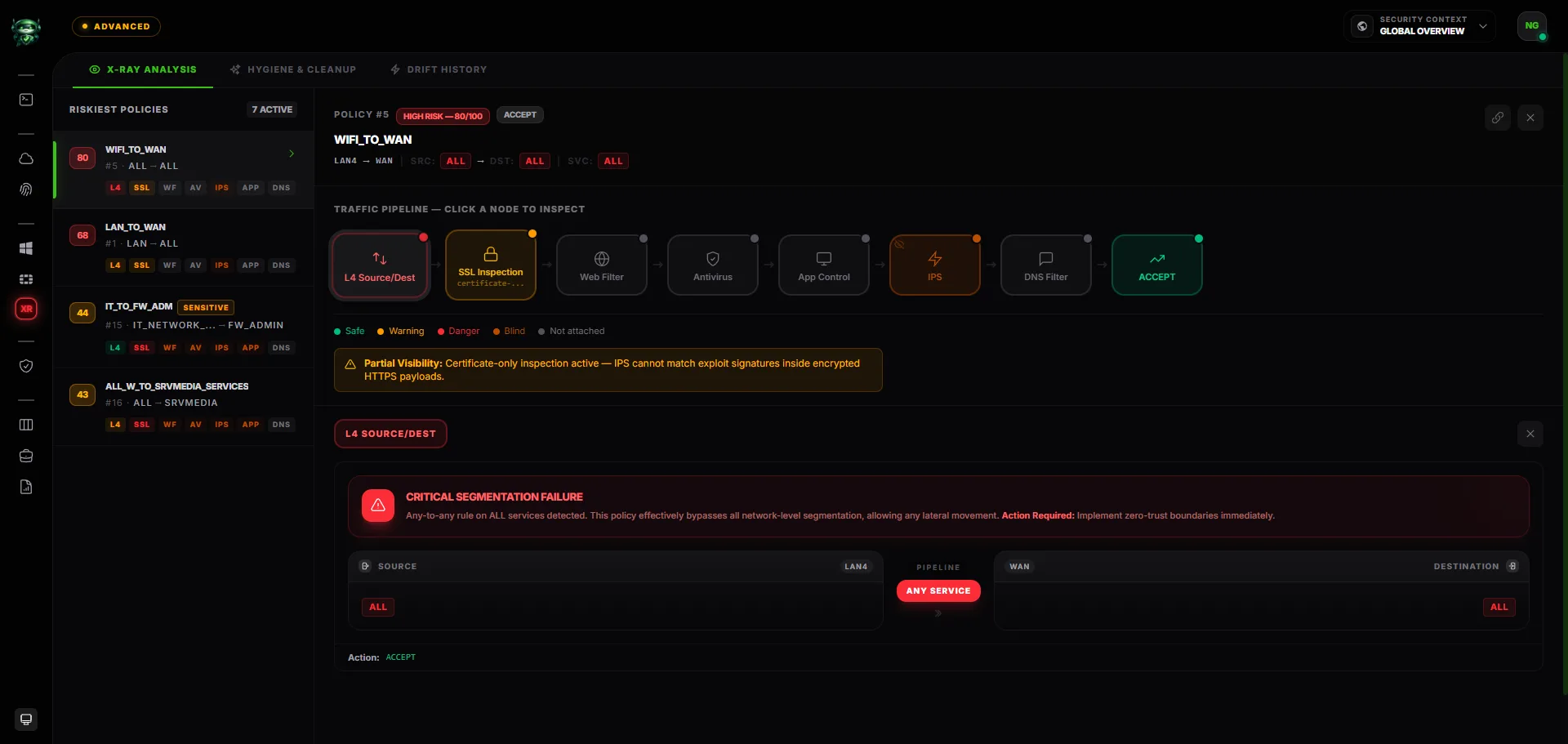
FortiGate is the second surface where X-Ray ships in this release. A FortiGate device is a stack of profiles, references, and overrides held together by policies that may or may not be referenced, may or may not be in use, and may or may not point at profiles that actually inspect anything. Reading a config file does not tell you what the box does. Reading the GUI tells you less than that.
Policy X-Ray produces a visual pipeline for every active policy on the device. SSL inspection, antivirus, IPS, application control, web filter, DNS filter, DLP. Each profile becomes a node in the pipeline, color coded by its risk posture, with the actual configuration values surfaced on hover.
The piece that surprises most people the first time they see it is what we call the Domino Effect. If a policy has SSL inspection disabled or set to certificate only, every downstream profile that depLOCALs on decrypted traffic (antivirus, web filter category enforcement, application control, DLP) is marked as having reduced visibility. The pipeline literally dims those nodes and shows the cause. This is the most common reason a fully licensed FortiGate is functionally inspecting nothing on encrypted flows, and it is invisible in every other tool we have seen.
Other things the FortiGate X-Ray exposes:
- Object depLOCALency graphs. Click any address, group, or service inside a policy and see the full tree of what feeds into it, plus the parent ancestry, so you know which groups would be affected if you change a member.
- Hidden recursion. Nested address groups that quietly include the catch all four levels down. Service groups that pull in protocols you would never knowingly allow.
- SSL exemption scope. SSL inspection profiles often have exempt rules added piecemeal for one bank or one streaming site, then never reviewed. X-Ray flags exemption scopes that have grown beyond a safe threshold.
Going beyond the FortiGate compliance check
The audit engine behind FortiGate X-Ray covers 45 distinct configuration checks across eight inspection domains. Some of them have direct CIS analogs. Most do not. A short tour of the more interesting ones:
- Web filter category coverage. Most checks of this type ask "do you have a web filter profile". X-Ray asks "does your web filter actually block Malicious Websites, Phishing, and Proxy Avoidance, or only adult content categories from the 2015 reference profile". The answer in production environments is almost always the second one.
- DNS botnet blocking and category filtering. A separate inspection plane from the web filter, with its own profile, that is routinely shipped empty.
- Antivirus archive and mobile coverage. Archive scanning, SMB inspection, mobile malware databases. The flags that vLOCALors enable by default and customers turn off "for performance" five years ago.
- IPS severity coverage and packet logging. Not "is IPS on", but "does IPS act on critical, high, and medium severity, and is it logging enough to investigate after the fact".
- Application control on unknown traffic. What does the firewall do when it sees a protocol it cannot identify. In most environments, the answer is "passes it silently". That is the answer attackers count on.
- Policy hygiene. Beyond inspection, X-Ray includes a dedicated hygiene engine that classifies every rule on the device by behavior. Zombies (no hits, ever), stale rules (no hits in 90 days), empty references, default profile usage, full any to any combinations. Operators get two views: an Action Board grouped by remediation, and a classic dense matrix for the people who think in spreadsheets.
The hygiene side of this is what cleans up the years of accumulated rules nobody dares to touch, with telemetry from the device itself answering the only question that matters: when was the last time this rule mattered.
Two surfaces, one mental model
The shape of both X-Rays is the same on purpose. Compliance findings tell you something is wrong. X-Ray tells you why it is wrong, what depLOCALs on it, and which change you can make first. That moves the conversation from "we have 47 items open" to "we have 3 changes that will close 19 items, and here is the blast radius for each".
This is what we mean when we say Retrievy goes past the checkbox. The checkbox is the start of the question. X-Ray is the answer.
Available now
X-Ray for Active Directory and X-Ray for FortiGate are live for every Retrievy workspace that has a corresponding Data Source connected. Connect an Active Directory environment or onboard a FortiGate device, run a scan, and the X-Ray tab populates automatically once the first inventory completes.
If you are already a customer, the new dashboards are visible under the SCM module. If you are not yet, the same Data Sources power the entire compliance, scoring, and remediation experience, and you can spin up a workspace from the main site.
We will keep building this surface. The next Data Sources on the X-Ray roadmap are already picked. Until then, we hope this release helps you see your environment the way attackers already do.
Keep reading in Releases